CSS in JS vs Traditional CSS: Which Is Right for Your Project?
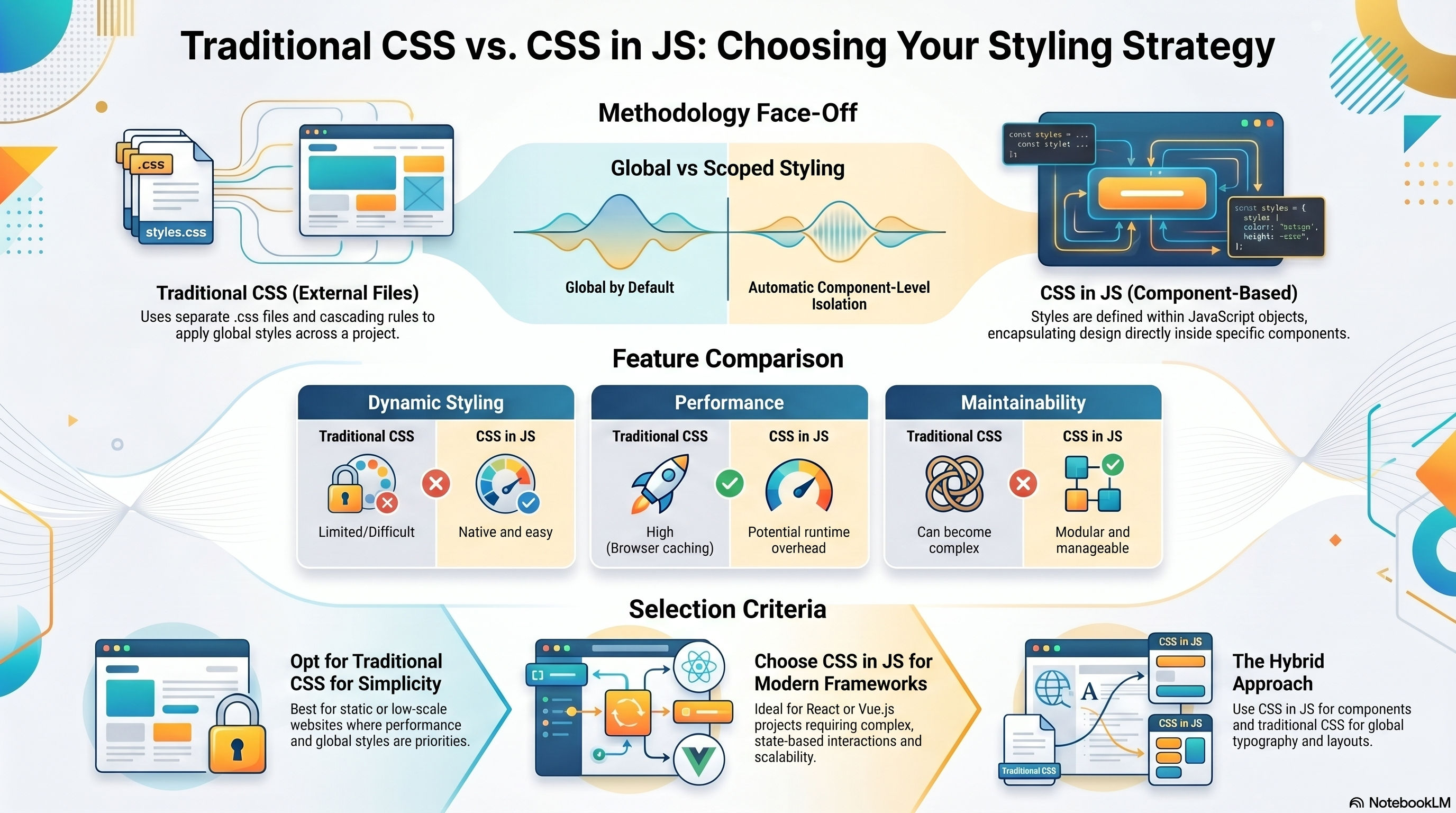
When you start a new web project, one of the earliest architectural decisions is: how are we going to style our components? The two dominant approaches—Traditional CSS and CSS-in-JS—each have strong advocates and real trade-offs. This post breaks both down so you can make an informed call.
Traditional CSS
Traditional CSS means writing styles in .css files (or .scss with a preprocessor) that are imported separately from your JavaScript. It's the way the web was built.
Strengths
- Separation of concerns: HTML structure, JavaScript behaviour, and CSS presentation stay in distinct files
- Browser caching: stylesheets are static files—browsers cache them aggressively
- Familiar tooling: linters, preprocessors (Sass, Less), PostCSS plugins—the ecosystem is enormous and mature
- No JavaScript dependency: styles are parsed and applied before any JS executes
Weaknesses
- Global namespace: all selectors share one namespace. Without conventions like BEM, styles collide and specificity wars begin
- Dead code: it's hard to know which rules are still used—CSS rarely gets deleted
- Dynamic styling requires workarounds: theming or state-based styles typically mean toggling class names from JavaScript
CSS-in-JS
CSS-in-JS means writing styles in JavaScript—either as tagged template literals (Styled Components, Emotion) or as object literals (vanilla-extract, Stitches). Styles live alongside the component that uses them.
Strengths
- Automatic scoping: styles are component-local by default—no naming convention required
- Dynamic styles from props:
color: props.danger ? "red" : "green"is trivial - Dead code elimination: if a component is removed, its styles go with it
- TypeScript integration: prop-driven styles can be fully typed
Weaknesses
- Runtime overhead: most runtime CSS-in-JS libraries inject styles at render time, adding CPU cost on every render
- Larger JS bundles: the library itself ships to the browser along with your style definitions
- Server-side rendering complexity: extracting critical CSS on the server requires additional setup
- Steeper learning curve: especially for developers coming from traditional web workflows
The Decision Framework
Choose Traditional CSS when:
- You're building a content site, marketing page, or anything where CSS parsing before JS matters
- You prioritise raw performance and want zero styling runtime cost
- Your team is more comfortable with CSS than JavaScript-first workflows
- You need strong browser caching of stylesheets
Choose CSS-in-JS when:
- You're building a complex React or Vue app with many dynamic, prop-driven styles
- Component isolation is a priority and naming conventions feel like overhead
- You're building a design system and want types to enforce token usage
- You're using a zero-runtime variant like vanilla-extract or Linaria (compile-time extraction)
A Practical Hybrid
Many mature projects use both: CSS-in-JS for component-level styles (scoping, dynamic props), and a traditional global stylesheet for typography, resets, and layout primitives. Tailwind CSS is a third path that sidesteps the debate entirely by moving design decisions into utility classes in the markup.
There is no universally correct answer. The right choice is the one that fits your team's strengths, your project's performance requirements, and the long-term maintainability of the codebase.