Core Web Vitals: What They Are and How to Improve Them
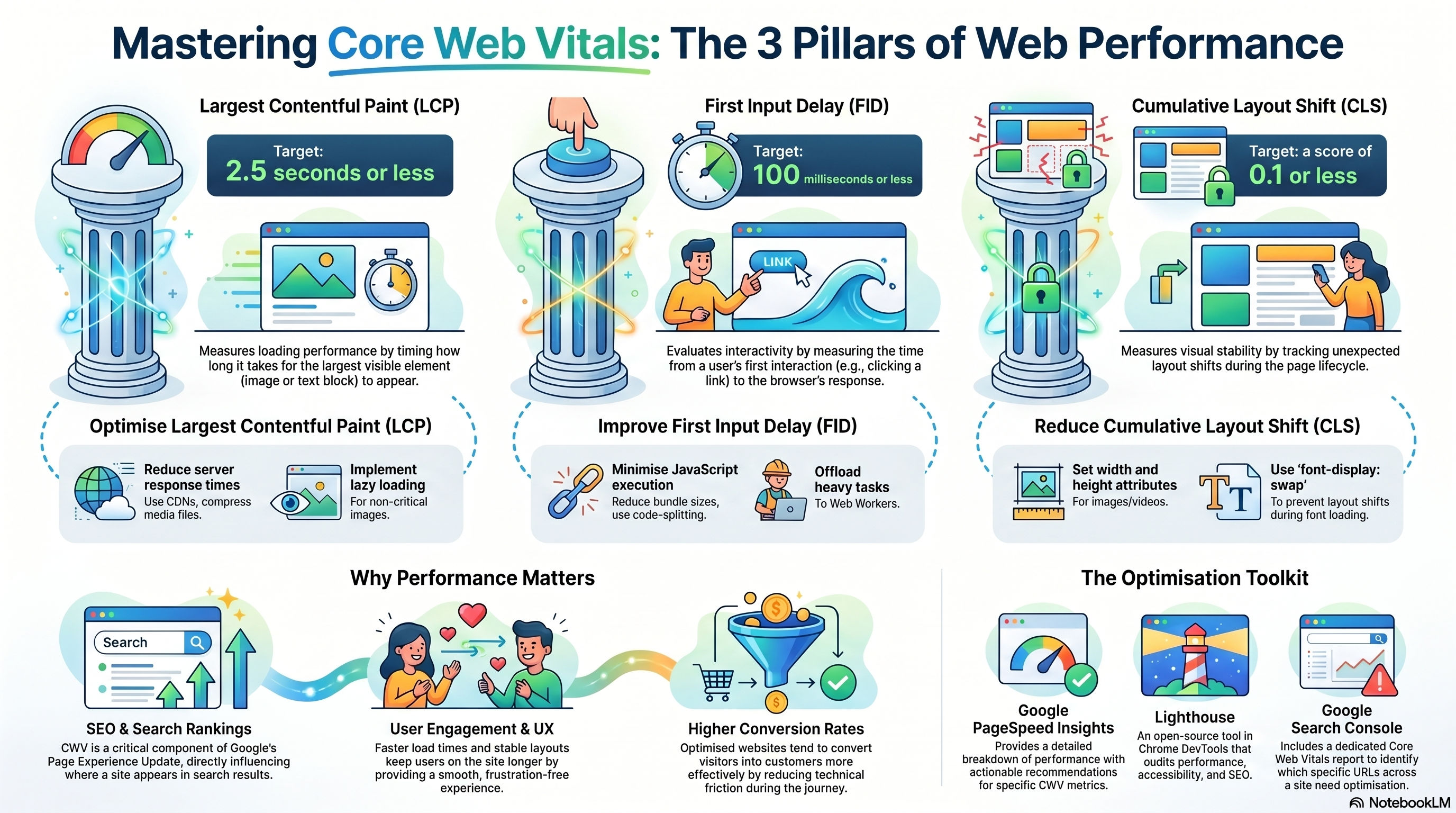
Core Web Vitals (CWV) have emerged as a critical set of metrics for understanding and optimizing user experience on the web. Google has incorporated them directly into its Page Experience ranking signal, which means that getting them right is no longer just a performance concern—it is a business concern.
What Are Core Web Vitals?
Three specific metrics make up Core Web Vitals:
Largest Contentful Paint (LCP)
LCP measures the time from when a page starts loading to when the largest visible content element (usually an image or a block of text) appears on screen.
- Good: 2.5 seconds or less
- Needs improvement: 2.5–4 seconds
- Poor: over 4 seconds
First Input Delay (FID) / Interaction to Next Paint (INP)
FID measures the time from when a user first interacts with a page to when the browser is actually able to respond. Google replaced FID with Interaction to Next Paint (INP) as a Core Web Vital in 2024—INP measures the latency of all interactions, not just the first one.
- Good INP: 200 milliseconds or less
Cumulative Layout Shift (CLS)
CLS measures how much page content unexpectedly shifts during the page lifecycle—the score that makes you click the wrong button because an ad loaded above it.
- Good: 0.1 or less
Why They Matter
- User engagement: faster, stable pages keep users on site longer and drive lower bounce rates
- SEO: Core Web Vitals are a direct ranking signal in Google's Page Experience algorithm
- Conversion: every 100 ms of improvement in LCP can increase conversions measurably
How to Improve Each Metric
Improving LCP
- Use a CDN to reduce server response times (Time to First Byte is the biggest driver of LCP)
- Convert images to WebP or AVIF and use
next/image(or the nativeloading="eager"+fetchpriority="high") for your hero image - Preconnect to third-party origins you load resources from
- Remove render-blocking CSS and JavaScript from the critical path
Improving INP
- Break up long tasks (over 50 ms) on the main thread using
scheduler.yield()or chunked processing - Move heavy computation off the main thread with Web Workers
- Reduce the number and size of third-party scripts
- In React, use
useTransitionto mark non-urgent state updates so they don't block user input
Improving CLS
- Always define explicit
widthandheightattributes (or an aspect-ratio in CSS) on images and videos - Reserve space for dynamically injected content (ads, embeds) with min-height containers
- Use
font-display: swapand preload your custom fonts to avoid layout jumps when they arrive - Avoid inserting content above existing content unless triggered by user interaction
Measurement Tools
- Google PageSpeed Insights — real-world field data plus lab data in one place
- Chrome DevTools → Performance panel — profile long tasks and layout shifts frame by frame
- Web Vitals Chrome Extension — see your Core Web Vitals in real time as you browse
- Google Search Console → Core Web Vitals report — aggregated field data across your real users
The best approach is to set a performance budget, measure on real devices (not just your MacBook on fast Wi-Fi), and treat CWV regressions the same way you treat test failures—something to fix before shipping.